
AM32, Advanced Configuration Guide
The AM32 firmware is appreciated for the great freedom of adjustment it offers. However, it sometimes suffers from a poor reputation, often due to unsuitable configuration, as the configurator is not always perfect.
AM32 is the reference open-source firmware for 32-bit brushless motor controllers (ESCs), used on robots, drones, and RC cars.
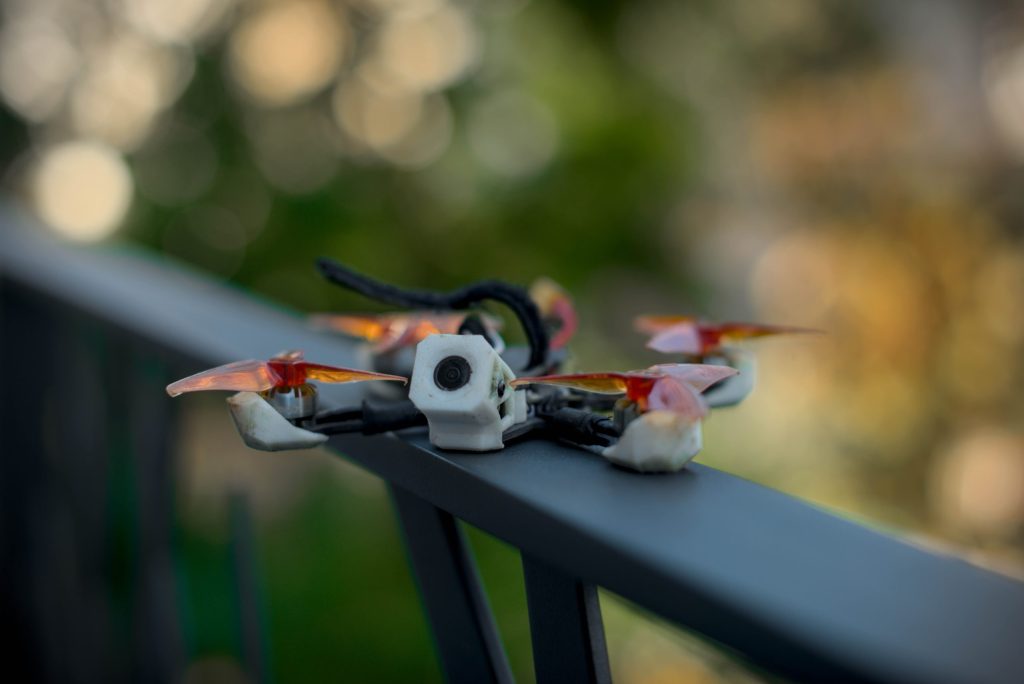
AM32 proves to be more complex to configure on small drones.
For classic 5-inch 6S drones, the configuration is simple: it is generally sufficient to keep the default parameters.
This guide is therefore intended for more unusual configurations, requiring the use of the specific settings offered by AM32..
1. The Configurator
AM32 is configured via the online tool am32.ca (incompatible with Firefox). For the connection, connect the drone via USB with the battery plugged in, then click «Read».
1.1 Flashing the ESCs
It is highly recommended to flash the ESCs, as AM32 has evolved significantly in recent years.
At the time of writing this guide, the latest version is 2.19.
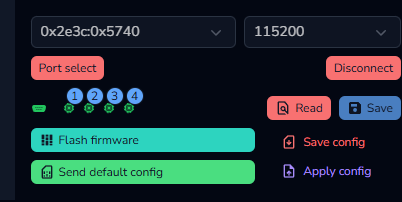
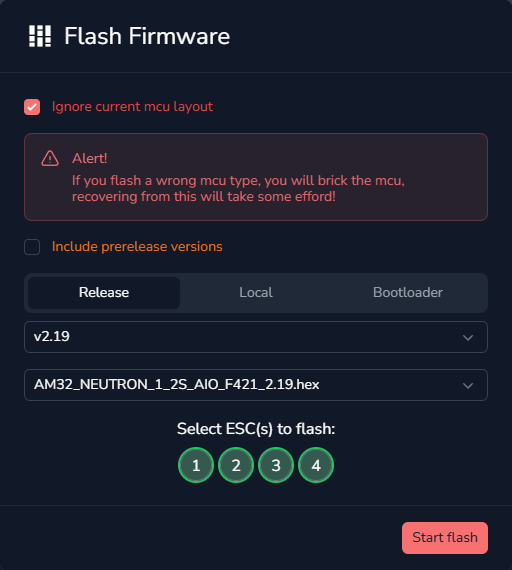
Click «Flash Firmware», then select the 4 ESCs, the latest version, and the target.
It is sometimes necessary to check «ignore current MCU layout», as manufacturers often install an old version of the firmware from the factory.
2. Motor Settings
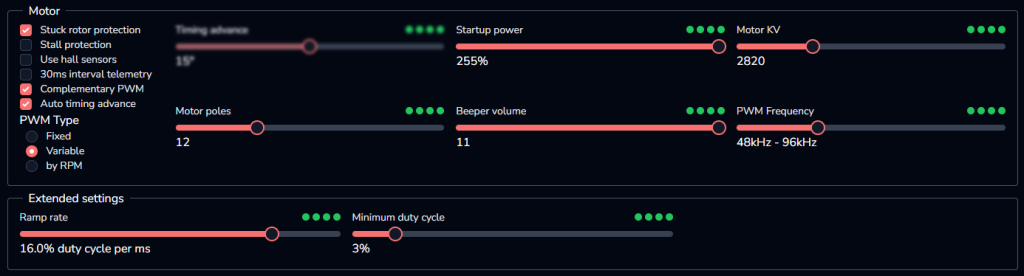
2.1 The Sliders
This chapter details the influence of the sliders and their proper use.
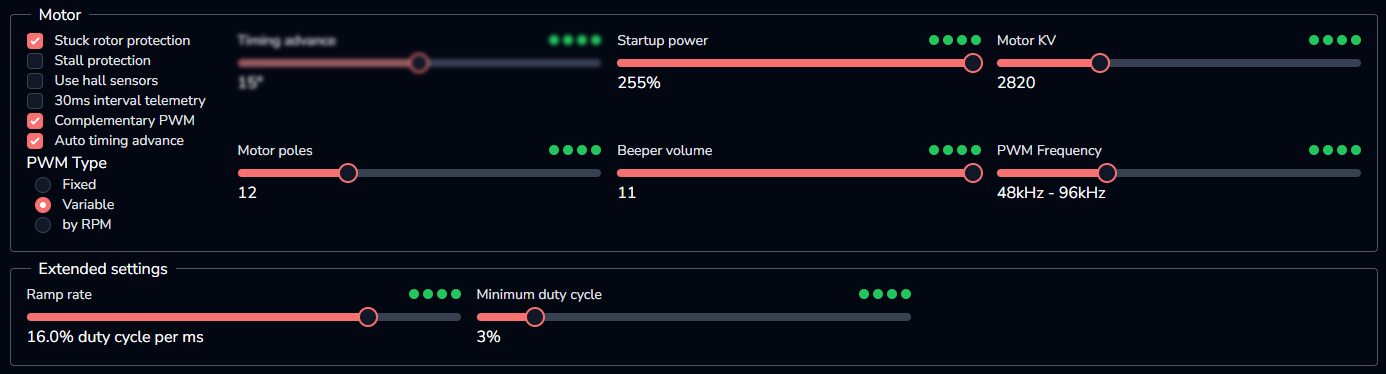
– Timing advance : Energizing the coils in advance for magnetization at the optimal moment.
A brushless motor operates with coils that fire successively to generate rotation. The «timing advance» defines the offset, in degrees, between the firing of the coils and the formation of the magnetic field. The «auto timing advance» option is generally preferred, or a fixed setting between 15 and 22 degrees.
– Startup power : The power required to start the motors.
Starting is the most critical phase for a brushless motor. It is impossible to know the position of a stationary motor, so the movement must be forced «blindly». This slider defines the power allocated to this action. As a general rule, the lower the KV and the more powerful the ESCs, the higher this value should be. (Example: for an 8500KV motor on 2S with a 20A AIO, this value can be set to maximum). The «minimum duty cycle» slider also plays an important role here.
– Minimum duty cycle : The minimum power at low RPM.
Forcing better power delivery at low RPM helps stabilize the motors after the «startup power» pulse. However, this parameter should not be overused, as it significantly increases power consumption. It is recommended not to exceed 3%, even on the smallest drones.
(Example: 1103 8500KV motors on 2S may struggle to start with the default value of 0.5%).
– Motor KV : Optimization of torque at low RPM. Do not enter the motor's KV directly: Motor KV = Actual KV / (6 / number of cells)
Increasing this parameter increases power delivery at low RPM, improving torque, responsiveness, and propwash. Although expressed in «KV», this value depends on the battery voltage. The calculation formula is:
Motor KV = Actual KV / (6 / number of cells)
(Example for 8500KV motors on 2S: 8500 / (6/2) = 2833 KV).
It is also possible to enter an arbitrary value: a lower KV offers more torque but increases consumption. It is therefore relevant to reduce this KV if large propellers are used on a small stator (e.g., 1404 on 3.5").
– Motor poles : The number of magnets on the motor bell.
This value is generally 12 for 1404 motors or smaller, and 14 for larger formats.
– Beeper volume : To be adjusted with caution.
Maximum volume can cause a double start of the ESCs, or even prevent correct startup. Motors consume a lot of energy to produce a powerful beep, at frequencies that voltage regulators have difficulty managing.
– PWM Frequency : 24-48 for a large drone, 48-96 for a smaller model.
This is the switching frequency of the ESCs. A value that is too high will reduce torque and maximum speed, while risking desynchronization. A value that is too low will increase consumption and decrease precision.
2.2 The Checkboxes
Options not recommended for drone use are indicated in italics.
- Stuck rotor protection : If the motor fails to start within 3 seconds of arming, the ESC gives up to protect itself.
- Stall protection : Designed for RC cars. If the motor stalls, AM32 pushes it further to prevent stopping.
- Use hall sensors : Intended for robotics, requires a physical sensor to determine the motor position.
- 30ms interval telemetry : Requires an additional wire for telemetry, very rarely used in FPV.
- Complementary PWM : Acts as a motor brake by short-circuiting the phases (without consuming current). Essential in FPV for machine responsiveness.
- Auto timing advance : AM32 automatically manages optimal motor timing, rendering manual slider adjustment obsolete.
- PWM Type : In 32-bit mode, ESCs can vary PWM according to motor speed and component capabilities. The «Variable» option is recommended for automatic management of these parameters.
3. Other Settings
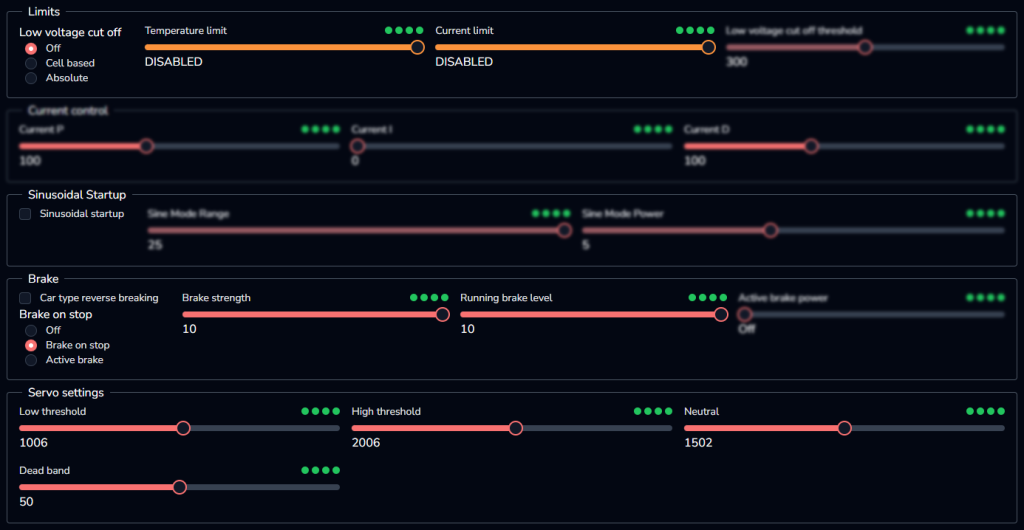
It is advisable to leave these parameters at their default values. They primarily apply to other types of RC vehicles and are not useful for FPV flight.
4. Configuration Examples
Sharing specific configurations (atypical motors/ESCs) on Discord or via email is encouraged in order to enrich this guide and assist the community.
4.1 Configuration: 2.5-inch 2S (Type «Kayoumini»)
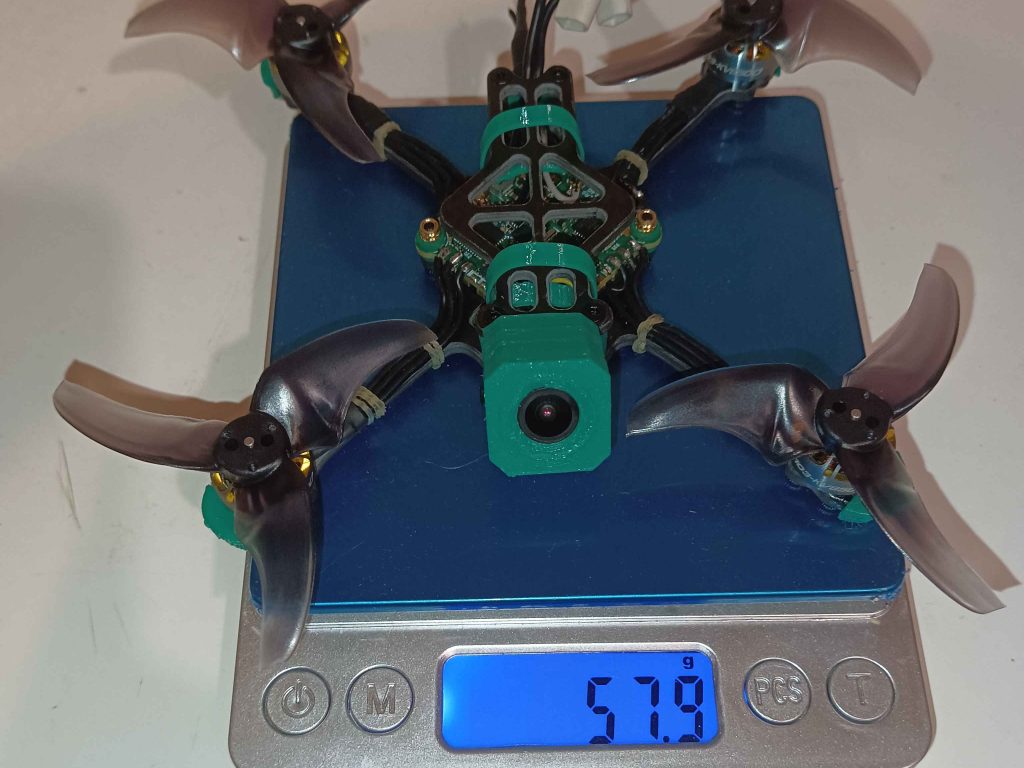
Build Summary : 2S battery, 8500KV motors, AIO Ysido AM32 20A.
Observation: With default AM32 parameters, motor arming was impossible.